
QuickBooks
Beware of These 5 QuickBooks Setup Traps That Stall Scalability
QuickBooks isn’t the problem — bad setup is. When your system is configured incorrectly, issues don’t show up right away. They surface later as messy reports, cash flow confusion, missed deductions, and decisions based on bad data. For scaling businesses, these small setup mistakes quietly become growth blockers. Knowing what to fix — and when — can turn QuickBooks into the financial tool it was meant to be.
Key Takeaways
- Why Does QuickBooks Setup Matter for Scaling Businesses?
- What Are the 5 Most Common QuickBooks Setup Mistakes CEOs Overlook?
- How Can Setup Errors Stall Scalability and Growth?
- What QuickBooks Best Practices Help Businesses Scale Smoothly?
- When Should a Growing Business Call in a Professional for QuickBooks?
- How Does Proper Setup Turn QuickBooks Into a Growth Tool?
- Frequently Asked Questions
If QuickBooks is supposed to make your financial life easier, why do growing businesses still feel buried in chaos? Most of the time, the problem isn’t the software. It’s the setup. When QuickBooks is configured the right way, it becomes a powerful financial dashboard that supports decisions and helps a company scale. When it’s set up poorly, it quietly creates headaches that show up months or even years later in the form of bad data, missed deductions, vendor issues, cash flow confusion, and stalled growth.
Below is a breakdown of the most common QuickBooks setup mistakes scaling businesses make, why they happen, and how to avoid them so your accounting system actually moves your business forward.
Why Does QuickBooks Setup Matter for Scaling Businesses?
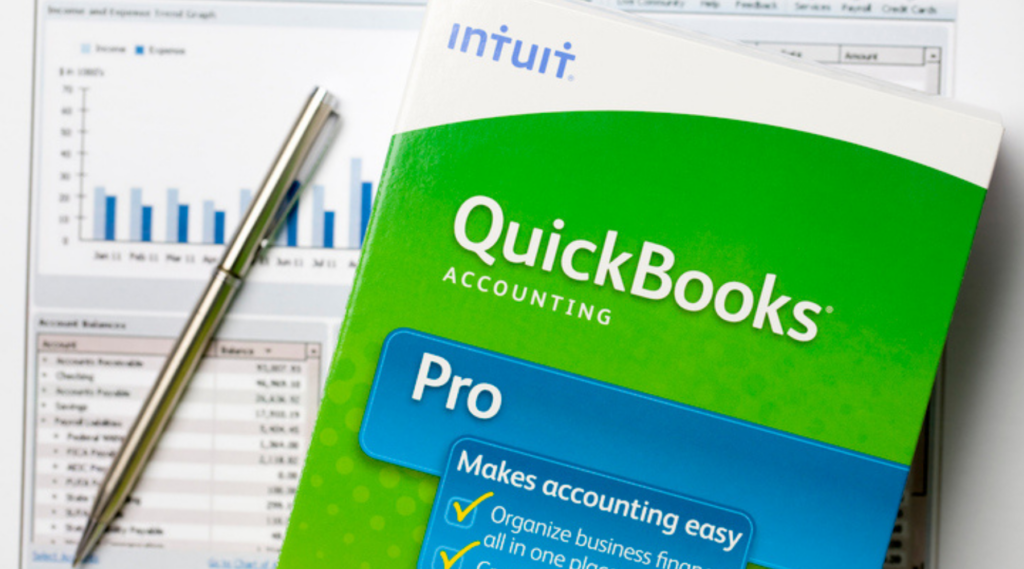
QuickBooks setup matters for scaling because the initial structure determines how accurate, useful, and actionable your financial data becomes as your business grows. Once a company reaches a certain size, messy books can’t keep up with daily realities like vendor payments, payroll complexity, COGS tracking, or multi-department reporting.
A clean setup supports:
- Reliable reporting that actually helps CEOs make decisions
- Smoother cash flow forecasting and budgeting
- Accurate tax deductions tied to properly categorized expenses
- Less time digging through bank statements and spreadsheets
- Better visibility into what drives profit and what drains it
JPZ Bookkeeping sees this all the time. Businesses start small with a simple setup, then success comes faster than expected. Suddenly QuickBooks feels clunky, slow, or inaccurate. The truth is, the system didn’t fail. It was never optimized for growth.
What Are the 5 Most Common QuickBooks Setup Mistakes CEOs Overlook?
The most common QuickBooks setup mistakes CEOs of scaling businesses overlook come from trying to DIY a system that wasn’t designed for long-term growth.
Here are five traps that catch nearly everyone:
1. Creating an Overly Complicated Chart of Accounts
Founders often try to track every detail, which leads to a bloated chart of accounts that works against them. Not every expense needs its own category. Too many accounts create confusion, inconsistent data entry, and cluttered financials.
We recently worked with a neurologist whose previous bookkeeper created a separate general ledger account for almost every transaction. Their profit and loss statement became pages longer than necessary, and the team had to consolidate, reorganize, and clean up the categories so the financial data was actually usable.
2. Incorrectly Categorizing Expenses
Misclassified expenses lead to inaccurate tax deductions and bad reporting. This is one of the biggest reasons CEOs think they’re profitable when they aren’t, or vice versa.
3. Not Setting Up Bank Feeds the Right Way
If connections weren’t configured properly, QuickBooks can duplicate transactions or miss them entirely. That creates hours of cleanup work and unreliable financial statements.
4. Running QuickBooks With Outdated or Partially Migrated Data
Many businesses start with a spreadsheet or older accounting software. During migration, missing vendor details, unlinked invoices, and orphaned transactions follow them like ghosts. This is what leads to the “my numbers never look right” problem.
5. Ignoring User Permissions and Access Controls
Growing companies need clean controls. When every employee has full access, you increase the risk of errors, privacy issues, or someone accidentally changing the chart of accounts.
How Can Setup Errors Stall Scalability and Growth?
Setup errors stall scalability by creating data that the leadership team can’t trust. If you can’t rely on your financial statements, it’s nearly impossible to hire confidently, forecast accurately, or make informed decisions about investments or pricing.
Here’s how setup mistakes hold growing businesses back:
- Cash flow planning becomes guesswork when income and expenses aren’t categorized correctly.
- Tax planning suffers because deductions are missed or misrepresented.
- Operations slow down due to invoice issues, inconsistent vendor data, and delays in bill payments.
- Inventory or job costs get out of control when tracking isn’t set up properly from day one.
- You outgrow QuickBooks too fast simply because it was never configured for the complexity of your business.
Most CEOs don’t notice the stall until they try to scale something, like hiring, expanding departments, or launching new services. That’s when the gaps show up.
If your reports don’t match reality, your setup needs attention.
Fix QuickBooks now — before bad data costs you real money.
What QuickBooks Best Practices Help Businesses Scale Smoothly?
A few key best practices can transform QuickBooks into a reliable financial system that supports long-term growth.
Keep the Chart of Accounts Lean
A clean chart of accounts keeps data accurate and easy to manage. Use high-level expense accounts and rely on class tracking, tags, or locations to add detail only where it matters.
Automate Where Possible
Leverage bank feeds, recurring invoices, and payment tools. Automating routine bookkeeping reduces human error and keeps financial data up to date.
Standardize Your Processes
Consistency matters. Set rules for:
- How expenses are categorized
- How transactions are reviewed
- How deposits or transfers are handled
- How often reconciliations happen
When the team follows the same system, financial records stay clean.
Build Your QuickBooks File With Reporting in Mind
Scaling companies need more than profit and loss statements. They need departmental reports, cash flow insights, and project-based visibility. Setting up QuickBooks with these metrics in place prevents painful rewrites later.
Clean Up Data Regularly
QuickBooks data cleanup is essential for fast-growing teams. Old transactions, duplicate vendors, and cluttered lists only get worse over time. Periodic cleanup keeps the system light and reliable.
When Should a Growing Business Call in a Professional for QuickBooks?

A growing business should call in a professional when QuickBooks starts slowing down decision-making or creating more questions than clarity. If you’re spending time fixing data instead of using it, you’ve already outgrown your setup.
Signs you need help:
- Your reports never look right
- You don’t feel confident handing statements to a CPA or lender
- You spend too much time categorizing or “fixing” entries
- You want better cash flow forecasting, budgeting, or financial planning
- Your team is overwhelmed by bookkeeping tasks
- You see discrepancies but can’t figure out where they’re coming from
A bookkeeping professional or Fractional CFO can rebuild your file, streamline processes, and create the reporting structure needed for growth. JPZ Bookkeeping does this for businesses in every stage of scaling. The goal isn’t more complexity. It’s clarity that supports smart decisions.
How Does Proper Setup Turn QuickBooks Into a Growth Tool?
Proper setup turns QuickBooks into a growth tool by giving founders accurate, timely, and decision-ready financial visibility. When the foundation is solid, QuickBooks becomes more than accounting software. It becomes a strategic asset.
A smart setup delivers cleaner financial statements that reflect real performance, more accurate tax deductions through correct categorization, and clearer insight into profitability across services, products, or locations. It also creates a simplified chart of accounts that supports strong reporting without overwhelming the team, along with streamlined workflows that free up hours every month. The result is a financial system built to grow with the business rather than hold it back.
When QuickBooks works the way it should, CEOs stop guessing and start planning. That’s when scalability finally has room to take shape.
Ready to Eliminate the QuickBooks Traps That Slow Growth?
When your financial systems feel clear, organized, and built to support the next stage, everything else in the business gets easier. Reliable numbers shape better decisions, reduce stress, and give you the confidence to grow without second-guessing your data.
If you’re ready to upgrade your setup or hand off the bookkeeping that has been slowing you down, JPZ Bookkeeping can help. We turn messy files into clean, dependable systems that keep your business moving forward. Reach out today and let’s build the kind of financial clarity that supports your next phase of growth.
Ready to shed some light on your financial future?
Share your passion and excitement in the form below.
ask our
experts
What are the most common QuickBooks setup mistakes for growing businesses?
Common mistakes include an overbuilt chart of accounts, incorrect categorization rules, missing tracking for classes or locations, and workflows that aren’t aligned with how the business actually operates.
How can bad QuickBooks setup stall business growth?
Bad setup creates unreliable financial data, which makes planning, hiring, pricing, and forecasting harder because leadership can’t trust the numbers guiding key decisions.
Should scaling businesses hire a professional for QuickBooks setup?
Yes, once QuickBooks starts creating confusion instead of clarity, a professional can rebuild the file, streamline processes, and set up reporting that supports growth.